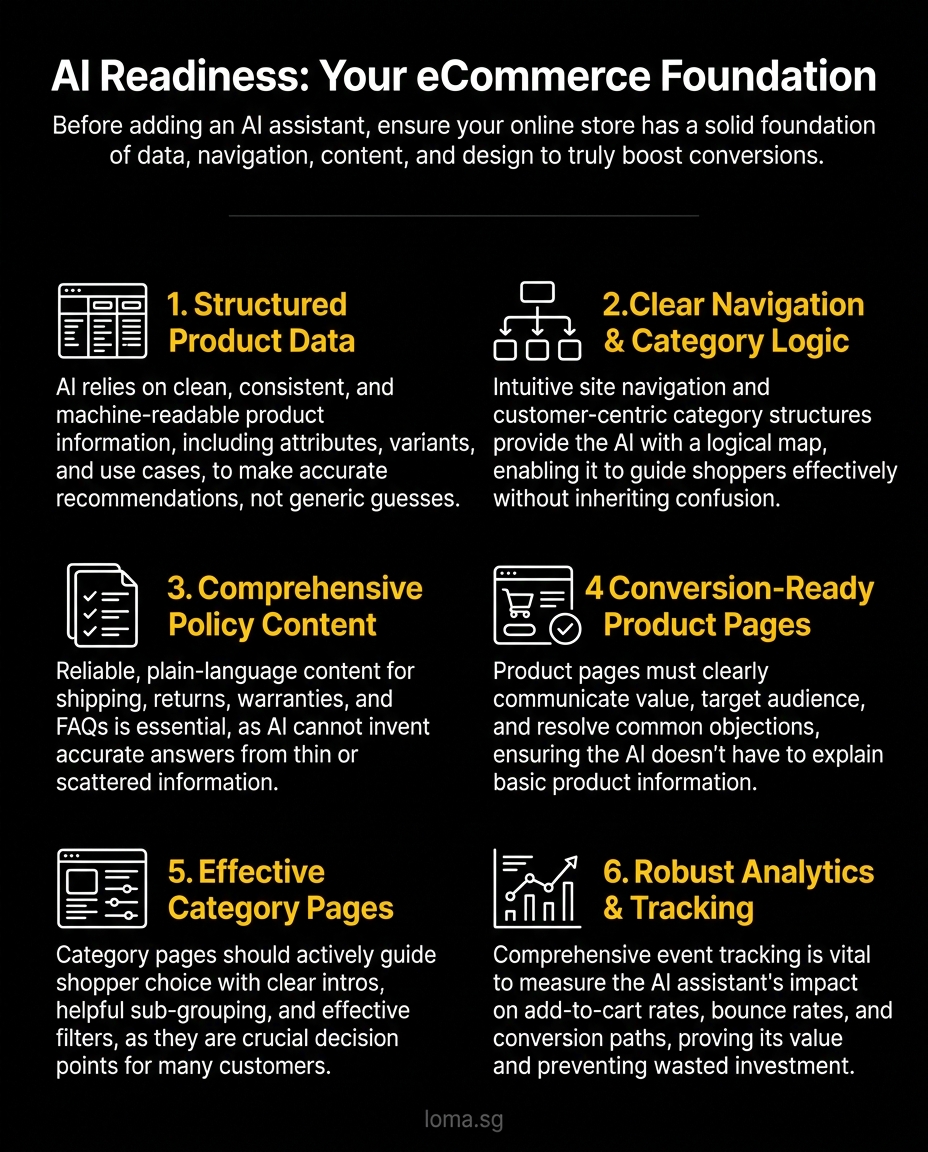
A lot of brands are asking the wrong question. They ask which AI Assistant to add to their store before they ask whether their storefront is even usable enough for that assistant to do anything helpful. If your ecommerce website design Singapore project still has messy product data, weak navigation, thin policy pages, and no meaningful tracking, adding AI usually gives you a smarter-looking mess.
That sounds harsh. It is also true.
An AI Assistant is not a magic layer that fixes bad ecommerce UX. It depends on the quality of what already exists. If your store cannot clearly explain what you sell, who it is for, how variants work, how shipping works, or what the next best product is, your assistant will struggle too. It may answer with confidence. That is not the same as answering well.
The better way to think about this is simple: AI sits on top of store operations, content, and interface logic. So before you add the AI layer, fix the foundation it will rely on.
Why most ecommerce teams add AI too early
The rush is understandable. AI demos look impressive. A shopper asks a question, the assistant replies instantly, and everyone imagines higher conversion. But most stores are not losing sales because they lack a chatbot box. They are losing sales because customers cannot find the right product, do not trust what they see, or hit unanswered objections before checkout.
When a weak storefront gets an AI layer too early, five things usually happen:
1. The assistant gives vague or inconsistent answers
If product data is incomplete, the assistant starts guessing. It might confuse sizes, colours, compatibility, lead times, or warranty coverage. That creates more hesitation, not less.
2. The assistant cannot guide discovery properly
If your categories are messy and filters are weak, the AI has no clean logic for narrowing choices. Instead of guiding shoppers, it becomes a clumsy search substitute.
3. It handles objections badly
Many stores have poor shipping, returns, care instructions, or FAQ content. The assistant cannot invent reliable policy answers from thin air.
4. It looks useful but does not move revenue
This is the expensive one. Teams launch AI, feel modern for a month, then realise engagement went up while conversion stayed flat. That usually means the assistant entertained people without improving the buying journey.
5. Nobody can measure whether it worked
If event tracking is weak, you cannot tell whether AI-assisted sessions drove higher add-to-cart rates, lower bounce, or better assisted conversion paths. You are left with screenshots and optimism.
That is why smart operators should be mildly skeptical of AI-first ecommerce thinking. The tool is only as useful as the storefront it plugs into.
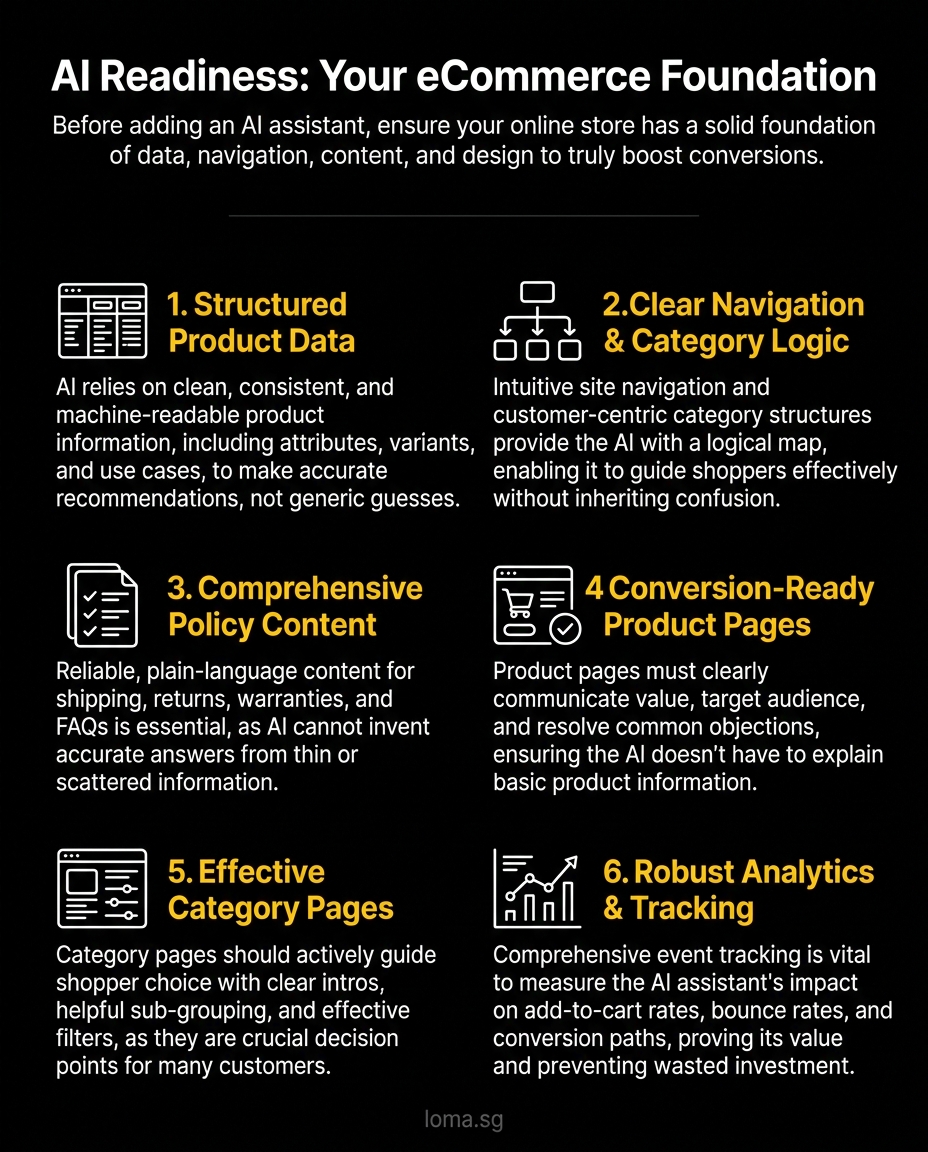
The five things your store needs before an AI Assistant
1. Structured product data
This is the big one. Most ecommerce AI failures start here.
Your assistant needs clean, consistent, machine-readable product information. Not just product names and prices. It needs attributes, variant logic, use cases, materials, dimensions, stock status, shipping notes, compatibility, FAQs, and category relationships.
If you sell skincare, the assistant should know skin type, texture, active ingredients, routine step, and common concerns. If you sell furniture, it should know dimensions, materials, assembly requirements, and room fit. If you sell electronics, it should know compatibility and comparison points.
Without structured data, AI cannot make sharp recommendations. It falls back to generic copy, and generic copy does not convert.
A practical test: can your merchandising team answer these questions quickly from the CMS or product database?
- What products suit a first-time buyer with a clear use case?
- Which variants are interchangeable, and which are not?
- What products are complements, substitutes, or upgrades?
- What objections typically block purchase for each category?
If the answer is no, your AI Assistant will not be smarter than your product operations.
This is also where modern architecture matters. A well-planned eCommerce build gives you more control over product models and content layers than a storefront held together with patches.
2. Strong site navigation and category logic
An assistant should improve discovery, not compensate for chaos.
If your category structure is shallow, overlapping, or based on internal company language, shoppers will struggle. Your AI layer then inherits the same confusion. It may recommend irrelevant products because your taxonomy is weak from the start.
Good navigation means:
- Categories built around how customers shop, not how your team organises inventory
- Filters that reflect real buying decisions
- Clear parent-child relationships between collections
- Product listing pages with distinct intent
- Search that returns sensible results even without AI help
Think of navigation as the assistant's mental map. If the map is bad, the route will be bad too.
This matters even more in headless builds. Teams pursuing headless ecommerce Singapore setups often focus on flexibility, which is fair, but flexibility without information architecture just gives you faster confusion. A custom stack is useful only when the customer journey is deliberate.
3. Policy and support content that can actually answer questions
Most pre-purchase friction is boring. That is why it matters.
People want to know:
- When will this arrive?
- Can I return it?
- Is this authentic?
- What if it does not fit?
- How do I care for it?
- Does it work with what I already own?
If those answers live in random PDFs, old FAQ pages, WhatsApp replies, or your customer service team's memory, your AI Assistant has nothing stable to work with.
You need answerable policy content:
- Shipping pages written in plain language
- Return and exchange rules with real specifics
- Warranty or authenticity information
- Category-level buying guides
- Product-level FAQs
- Care instructions and compatibility details
A strong AI Assistant strategy starts long before the interface. It starts with a reliable knowledge base. If your store content is thin, the assistant will either stay shallow or start improvising. Neither helps conversion.
What conversion-ready page design looks like
Your AI layer should support buying decisions, not rescue weak product pages.
That means your core templates already need to do their job.
Product pages should answer the real buying question fast
Too many product pages still read like a catalogue entry. A title, a few images, a short paragraph, and a button. That is not enough.
A conversion-ready product page should quickly communicate:
- Who the product is for
- Why it is different
- What key objections need to be resolved
- What proof supports the claim
- What next action the shopper should take
If the shopper still needs the AI Assistant to understand the basics, the page is underperforming.
Category pages should guide choice, not just display products
Collection pages are often ignored in ecommerce UX reviews, which is a mistake. Many shoppers decide from category pages before they ever open a product detail page.
Good category pages use:
- Clear category intros
- Helpful subcategory grouping
- Filters that narrow based on intent
- Merchandising logic that prioritises best-fit products
- Strong visual hierarchy and mobile usability
When this is done well, the assistant can step in with useful prompts like narrowing by budget, use case, or product type. When it is done badly, the assistant is forced to compensate for a broken browse experience.
Trust and reassurance need to be visible without prompting
An AI Assistant can reinforce trust, but it should not be the only place trust exists.
Your store should already surface:
- Delivery expectations
- Returns information
- Reviews or social proof
- Payment options
- Clear contact paths
- Care or usage details
If customers must ask the assistant for basic reassurance every time, that signals missing trust design.
Why event tracking is a non-negotiable prerequisite
If you cannot measure behaviour, you cannot improve AI performance.
Before launch, track the basics properly:
- Search usage
- Filter usage
- Product view depth
- Add to cart
- Checkout start
- Purchase
- FAQ clicks
- Exit points on product and category pages
Then add AI-specific events:
- Assistant opened
- Prompt submitted
- Recommendation clicked
- Product viewed after AI interaction
- Add to cart after AI interaction
- Purchase after AI interaction
- Escalation to human support
This matters for two reasons.
First, you need to know whether the assistant is helping discovery, objection handling, or conversion. Second, you need to know where it is failing. Maybe people ask sizing questions because your size charts are weak. Maybe they ask shipping questions because delivery messaging is buried. In those cases, the answer is not better prompting. The answer is fixing the storefront.
That is why solid analytics should sit inside your broader digital marketing setup, not as an afterthought bolted onto the AI launch.
What an AI Assistant should actually do once the foundation is ready
Once the basics are strong, AI becomes genuinely useful.
Not because it replaces good ecommerce design. Because it amplifies it.
A capable ecommerce AI Assistant should help with four high-value jobs.
Product discovery
It should turn broad intent into sensible options.
For example:
- "I need a gift under $100"
- "I want something for sensitive skin"
- "Show me lightweight office chairs for small rooms"
That only works when product attributes and category logic are clean.
Pre-purchase objection handling
It should answer the real conversion blockers clearly: fit, delivery, compatibility, usage, care, and return confidence. Not with generic filler, but with specific information pulled from reliable content.
Guided comparison
This is where AI can shine. Many stores make comparison hard. An assistant can summarise trade-offs quickly, recommend a best fit based on stated needs, and explain why one product is better for a particular buyer.
Smart handoff to the next step
Sometimes the right move is not another answer. It is directing the customer to the best product page, a filtered category, a buying guide, or a human sales channel.
That is the key mindset. An AI Assistant is not there to chat for the sake of chatting. It is there to reduce decision friction.
The blunt rule: fix the store before you add intelligence to it
If your ecommerce website design is weak, AI will expose the weakness faster.
That is uncomfortable, but useful.
The best ecommerce teams do not treat AI as a shortcut. They treat it as an interface layer on top of strong architecture, clean data, thoughtful UX, and measurable journeys. That is why some AI commerce experiences feel sharp while others feel like a gimmick.
If you are rebuilding your storefront, this is the right sequence:
- Clean up product data
- Improve category and navigation logic
- Strengthen policy and support content
- Upgrade product and category page UX
- Implement meaningful event tracking
- Then add the AI layer
That order is less exciting. It is also what works.
Build the right foundation with LOMA
If you are planning a rebuild or thinking about AI-assisted commerce, start with the part most teams skip: the storefront foundation. LOMA helps brands design and build ecommerce experiences that convert now and support smarter AI layers later.
If you want an ecommerce setup built around better product discovery, stronger UX, and future-ready AI use cases, talk to LOMA about eCommerce development or explore our approach to AI Assistants. When you are ready, get in touch.