
Google is giving site owners a very clear warning, and too many SMEs will ignore it because the problem looks small.
It is easy to dismiss back button hijacking as a dodgy UX trick from another era. It is not. If your site interferes with a visitor trying to leave, whether through redirects, layered popups, injected scripts, or aggressive third-party widgets, you are no longer dealing with a minor annoyance. You are dealing with a spam risk that can affect search visibility.
The awkward part is this: many websites do not break the rule on purpose. They inherit it. A plugin adds an exit popup. A tracking script starts forcing redirects. An ad widget behaves badly on mobile. A freelance developer installs a workaround, nobody documents it, and the mess stays in production for months.
If you manage a website, this is worth checking before 15 June. Not because panic is useful, but because this is one of those rare SEO issues that is both practical and avoidable.
What Google is targeting, in plain English
Google is tightening its stance on manipulative site behaviour that traps, misleads, or frustrates users. Back button hijacking sits squarely in that category.
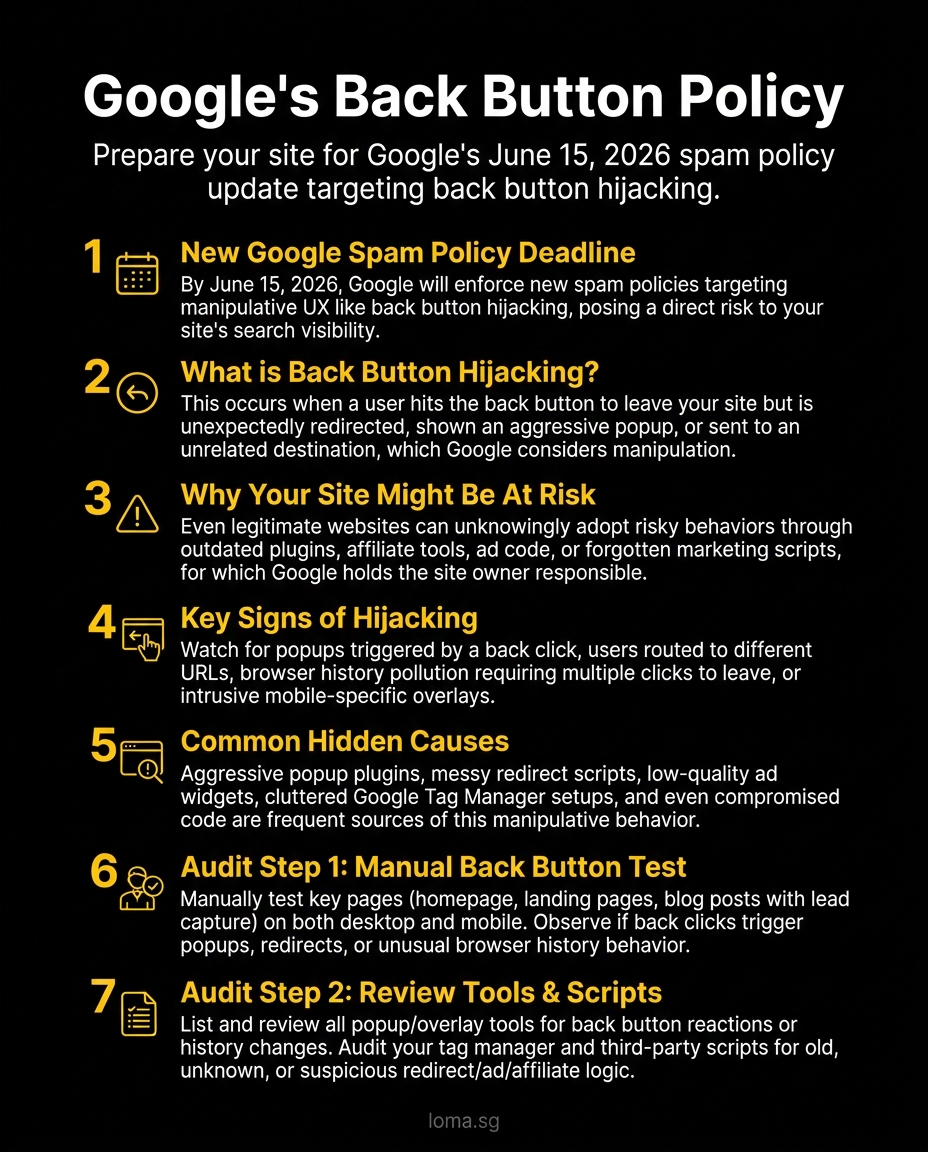
What back button hijacking actually means
Back button hijacking happens when a site interferes with normal browser navigation so a user cannot leave as expected. They hit back and instead of returning to the previous page, they get pushed into another page, another state, another popup, or a loop.
Sometimes it is obvious. The back button triggers a full redirect to a sales page. Sometimes it is more subtle. A history entry gets inserted so the user has to click back multiple times. A modal reappears. A script pushes them into an interstitial. The user experience feels wrong, because it is wrong.
This matters because Google has spent years rewarding sites that remove friction and demoting sites that create fake engagement. If your website keeps people trapped, it sends the same basic signal as other low-trust tactics: the site is optimised for manipulation, not for usefulness.
Why this is not just a developer issue
Founders and marketers often assume this belongs in a technical bucket. That is a mistake.
The scripts that create this problem often come from marketing tools, affiliate widgets, popup builders, remarketing tags, ad networks, and poorly managed tag containers. In other words, the risk often sits in the stack owned by people trying to improve leads, not by the core engineering team.
That is why this update matters for business owners. You can have a clean-looking website and still carry spam risk through tools added in the name of conversion.
The common ways SME websites trigger this risk
Most sites do not install "back button hijacking" as a feature. They assemble it accidentally.
Exit intent popup tools that behave too aggressively
A normal popup is not automatically a spam issue. A popup that blocks navigation, re-triggers after dismissal, or rewrites browser history is different.
This usually happens when teams keep stacking conversion tools without checking how they behave together. One popup builder handles lead capture. Another script handles offers. A third tool adds survey prompts. Individually they seem tolerable. Combined, they create a site that feels like a hostage negotiation.
If your back button surfaces a popup instead of letting the user leave, you have a problem.
Redirect scripts added for campaigns or tracking
Campaign pages sometimes include redirects for attribution, geo-routing, affiliate tracking, or temporary offer flows. That can be legitimate. It becomes risky when redirects fire after user interaction in a way that changes expected navigation.
Two patterns are especially worth checking:
- Scripts that push extra history states so the user cycles through artificial steps before exiting
- Scripts that redirect users to another promotional page when they try to go back
Neither is clever. Both damage trust fast.
Ad widgets and monetisation code
SME sites sometimes bolt on ad scripts, content recommendation widgets, or affiliate components without proper QA. These are frequent troublemakers because they pull external code into the browser after the page loads.
That means your site may behave one way during a basic review, then behave differently when a third-party script fully loads on mobile or in a different geography. This is one reason site owners miss the issue. The bad behaviour is intermittent, which makes it easy to deny until rankings or user complaints force the conversation.
Injected code through tag managers or plugins
The messiest version of this problem usually comes from tools nobody remembers installing.
A WordPress plugin lingers after an old campaign. A GTM container contains tags with unclear ownership. A chat widget was replaced, but the old snippet never removed. A landing page builder injects custom JavaScript that nobody audits again.
If you want one blunt opinion, here it is: most websites have too many scripts and too little accountability. Google is not obliged to sort that out for you.
How to audit your site for back button hijacking
This is not an enterprise-only task. A practical website spam audit can be done in one focused session.
1. Test your important pages manually
Start with the pages that matter most:
- homepage
- service pages
- blog posts with traffic
- landing pages used for ads
- forms, popups, and offer pages
Open each page on desktop and mobile. Click through naturally for 20 to 30 seconds. Then press the browser back button.
Look for these warning signs:
- the back button does nothing
- the page opens another popup instead of exiting
- you get redirected to a different promotional page
- you need multiple back clicks to leave one page
- the URL changes in strange ways before you can exit
- you land on a page state you never explicitly opened
If something feels manipulative, treat that instinct seriously. Users notice broken intent before analytics does.
2. Check browser history behaviour
Back button hijacking often relies on the History API, especially pushState() or replaceState() calls used badly.
You do not need to read code fluently to investigate this. Ask your developer to review whether any scripts are:
- inserting unnecessary history states
- intercepting
popstateevents - forcing redirects on back navigation
- re-triggering modals during exit behaviour
If you have in-house technical support, inspect affected pages in browser developer tools and monitor which scripts fire during back navigation. If you do not, the minimum useful question for your developer or agency is simple: "What runs when a user tries to leave this page?"
That question exposes sloppy implementation surprisingly fast.
3. Review plugins, popup tools, and tag managers
This is the part non-technical teams can own directly.
Create a list of every tool allowed to inject behaviour into the site:
- popup builders
- chat widgets
- affiliate or referral scripts
- ad or retargeting tools
- landing page tools
- survey and feedback widgets
- custom HTML or JavaScript tags in GTM
Then review each one against three questions:
- Is it still needed?
- Does anyone clearly own it?
- Can it alter navigation, popups, redirects, or page state?
If the answer to the first two questions is fuzzy, remove or disable it in staging and test again. Dead scripts are not harmless. They are technical debt with marketing branding.
4. Test on mobile, not just desktop
A lot of this bad behaviour is worse on mobile because the viewport is smaller, the browser chrome behaves differently, and users are more likely to bounce quickly.
Check the same pages on Safari and Chrome on a real phone if possible. App-like page transitions, sticky bottom bars, fullscreen modals, and delayed redirects often feel much more aggressive on mobile than they do on a desktop monitor.
If your site only passes the audit on desktop, it did not pass the audit.
5. Review third-party code after campaigns end
Temporary campaign code becomes permanent risk faster than most teams realise.
Make it routine to clean up after promotions, microsites, referral pushes, and seasonal offers. If a script was added for one campaign, it should have an owner, a purpose, and a removal date. Without that, your site accumulates junk logic that nobody can explain six months later.
This is not just about compliance with one update. It is basic site hygiene.
What to ask your developer or agency right now
If you do not manage code yourself, ask sharper questions. Vague check-ins get vague answers.
Use this list:
Ask whether the site modifies browser history
You want a direct answer, not reassurance.
Ask: "Are any scripts on our site adding history states, intercepting back navigation, or redirecting users when they try to leave?"
Ask for a script inventory
If your agency cannot tell you which third-party tools are injecting scripts, they are not managing the site properly.
Ask for a list covering:
- plugins with front-end scripts
- GTM tags and custom HTML
- chat and popup tools
- ad and affiliate widgets
- page-specific custom JavaScript
Ask how they test user exit behaviour
A lot of teams test form submissions and button clicks. Far fewer test how a user leaves.
That is a blind spot now.
Ask them to document what happens when a user hits back from your main landing pages, offer pages, and high-traffic blog posts on both desktop and mobile.
Ask what should be removed, not just fixed
Not every issue needs debugging. Some tools should simply be deleted.
This is a useful distinction. If a script exists to squeeze a bit more conversion out of already-annoyed visitors, and it introduces spam risk, the best fix is often subtraction.
When to handle this internally, and when to get help
If your site uses a light plugin stack, has clean ownership, and does not rely on layered marketing scripts, you can probably handle the first audit internally.
If any of the following are true, get outside help:
- multiple agencies or freelancers have touched the site
- GTM contains years of accumulated tags
- the site relies on popup, referral, affiliate, or ad scripts
- mobile behaviour differs from desktop
- nobody can clearly explain how redirects are implemented
- you suspect injected or legacy code is still live
This is where technical SEO and implementation review overlap. The issue is not only whether Google dislikes a pattern. The issue is whether your site is behaving in ways your team no longer understands.
That is a risk to rankings, conversions, and brand trust at the same time.
The practical takeaway before 15 June
Google spam policy 2026 is not just about obvious scams or hacked pages. It is also about manipulative behaviour that honest businesses sometimes allow onto their sites through laziness, tool sprawl, or poor oversight.
Back button hijacking is exactly the kind of issue that slips past busy teams because it feels minor right up until it becomes expensive.
Audit the pages that matter. Review the scripts nobody owns. Test the back button on mobile. Remove anything that tries too hard to stop a visitor from leaving. That is not good marketing anyway.
If you want a second set of eyes, LOMA can run a technical SEO and website risk audit to identify redirect issues, script conflicts, low-trust UX patterns, and broader visibility risks before they turn into a bigger problem. Explore our digital marketing services, learn how our AISEO approach supports cleaner search visibility, or browse more practical site and search guidance on the LOMA blog.